We Will Install a 24/7 Security Shield
Our 24/7 Security Shield services include all tasks
required to install, configure, and maintain your surveillance
camera system on an on-going basis:
-
Initial Installation – Static IP
address assignment, access security, Wi-Fi parameters, Email
setup, FTP upload host, dynamic DNS, and remote control.
-
Network Configuration –
Wireless security parameters, port forwarding, MAC filtering,
and firewall configuration changes.
-
On-going Support – 24/7 technical
support for all surveillance camera components including routers
and wireless access points..
A 24/7 Security
Shield Protects Your Residence , Home-Office, or Small Business
After we have
installed and configured your IP surveillance
cameras, you will be able to:
-
View surveillance
camera videos on local computers,
and/or computers, smartphones, or PDAs attached to the
Internet.
-
Use one of your
existing computers as surveillance
camera control systems.
-
Save and archive surveillance videos
without the need for an expensive DVR-type video
storage system
-
Record videos at a specific
day and time, or every day of the week at a
specific time of the day.
-
See who entered or attempted to enter your
business when you were closed.
-
Maintain an surveillance
database/archive of all attempted intrusions or other
suspicious activities.
-
Use your existing broadband modems
and/or cable modem to provide Internet access to
your cameras.
-
Receive Email notifications
that contains a still picture of the person or
thing that activated the motion detector. (This
Email can be received on a PC, PDA or
video-enabled mobile phone.)
-
Perform all Internet camera
administrative/control functions both locally
and across the Internet.
-
Provide remote access to
Internet camera systems without a static
IP address.
Need More Information?
Your IP surveillance camera system can provide a surveillance shield that
will help protect your residence or small business. If you need more information, please
click Here or call (602) 478-4778
or (623) 979-5934.
|
|
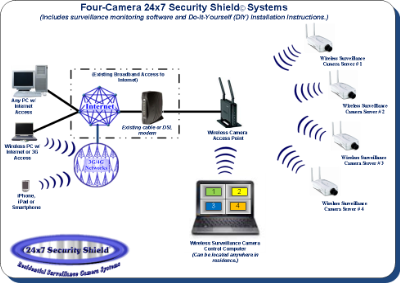
Figure 1 -- Surveillance Camera Network
|
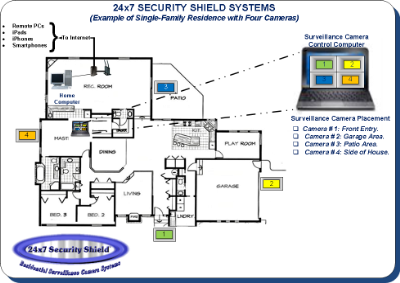
Figure 2 -- Typical Surveillance Camera Home Installation
|
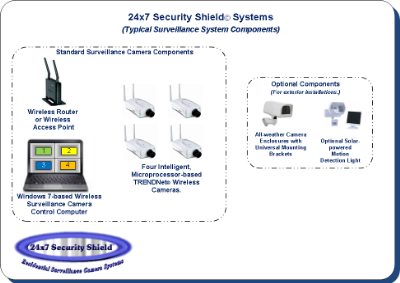
Figure 3 -- Surveillance Camera System Components
|
|